Understand how letsList works
letsList is an AI-assisted tool for creating, organizing, and revising eBay listings — built for resellers who move real volume. These guides explain how it keeps track of your inventory and how AI does the tedious listing work, while every change stays under your review.
New here? Start with the overview cards below. Anything underlined is a letsList term — hover or tap it for a plain-English definition, or browse them all in the Key terms panel.
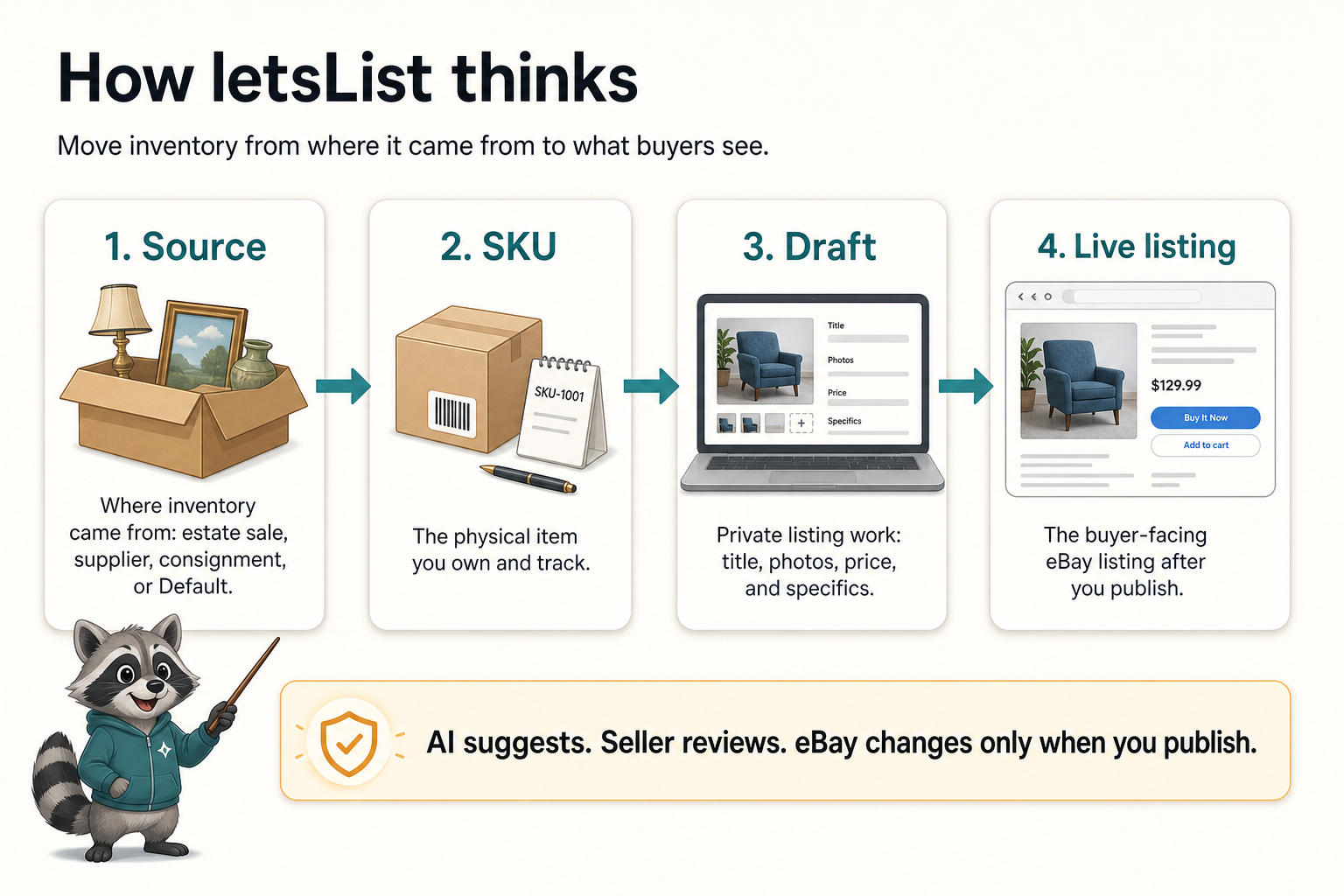
Core concepts
The mental model: sources organize deals, SKUs identify physical items, drafts prepare eBay listings, and AI stays under seller review.
Read guide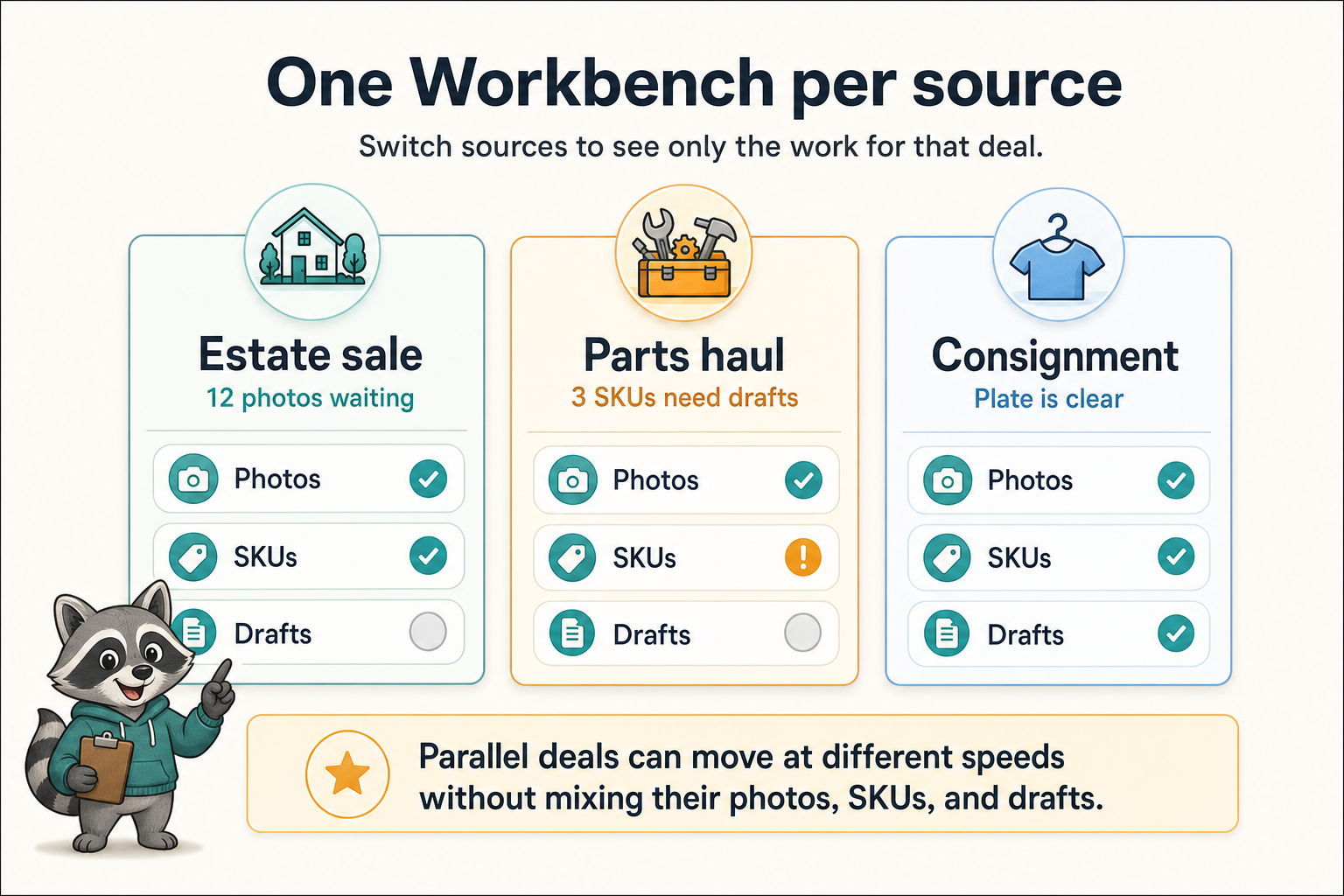
Sources & the Workbench
How high-volume sellers batch photos, create SKUs, and clear loose inventory work one source at a time.
Read guide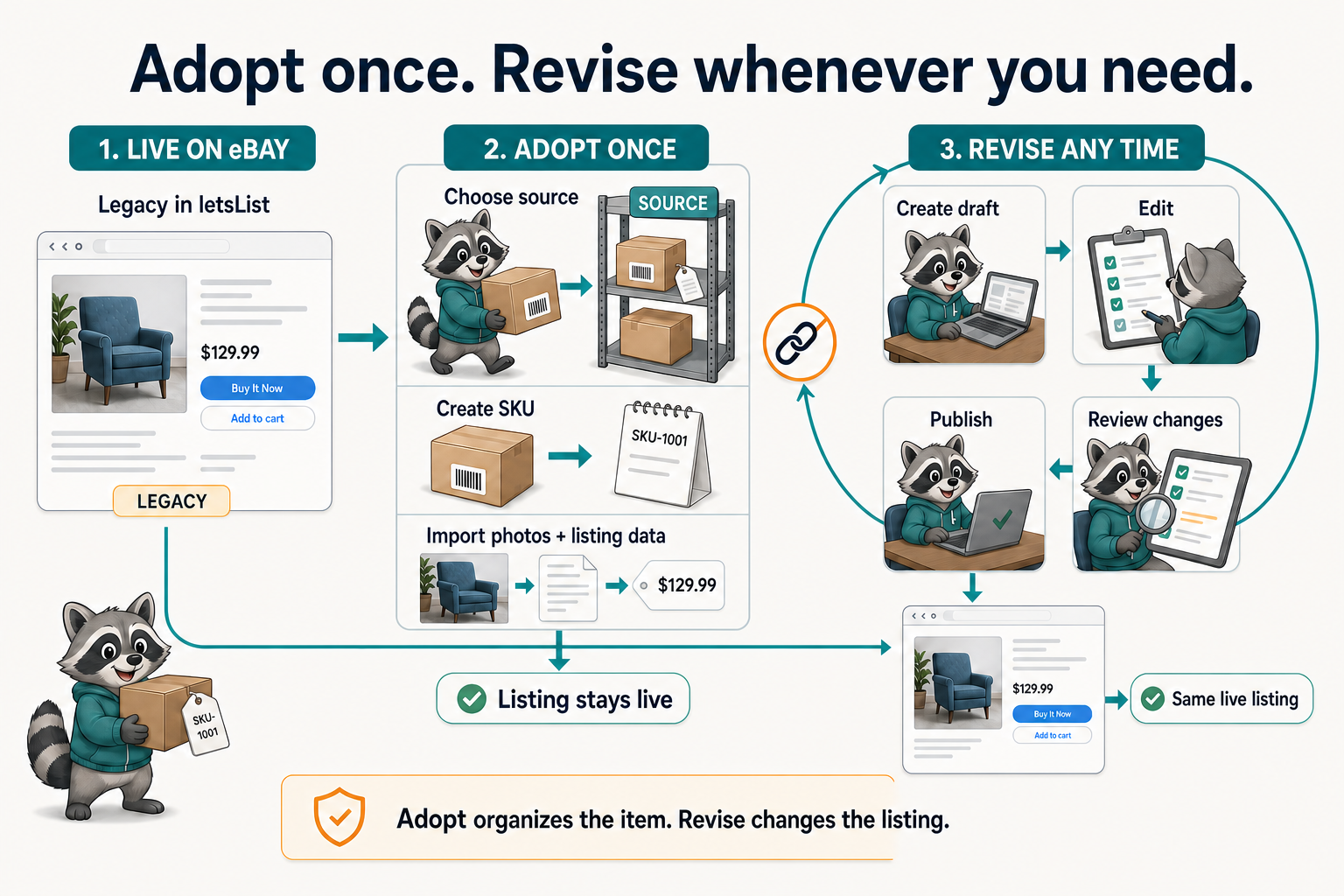
Adopting existing eBay listings
Connect a Legacy listing to a letsList SKU and source without interrupting the live eBay listing.
Read guide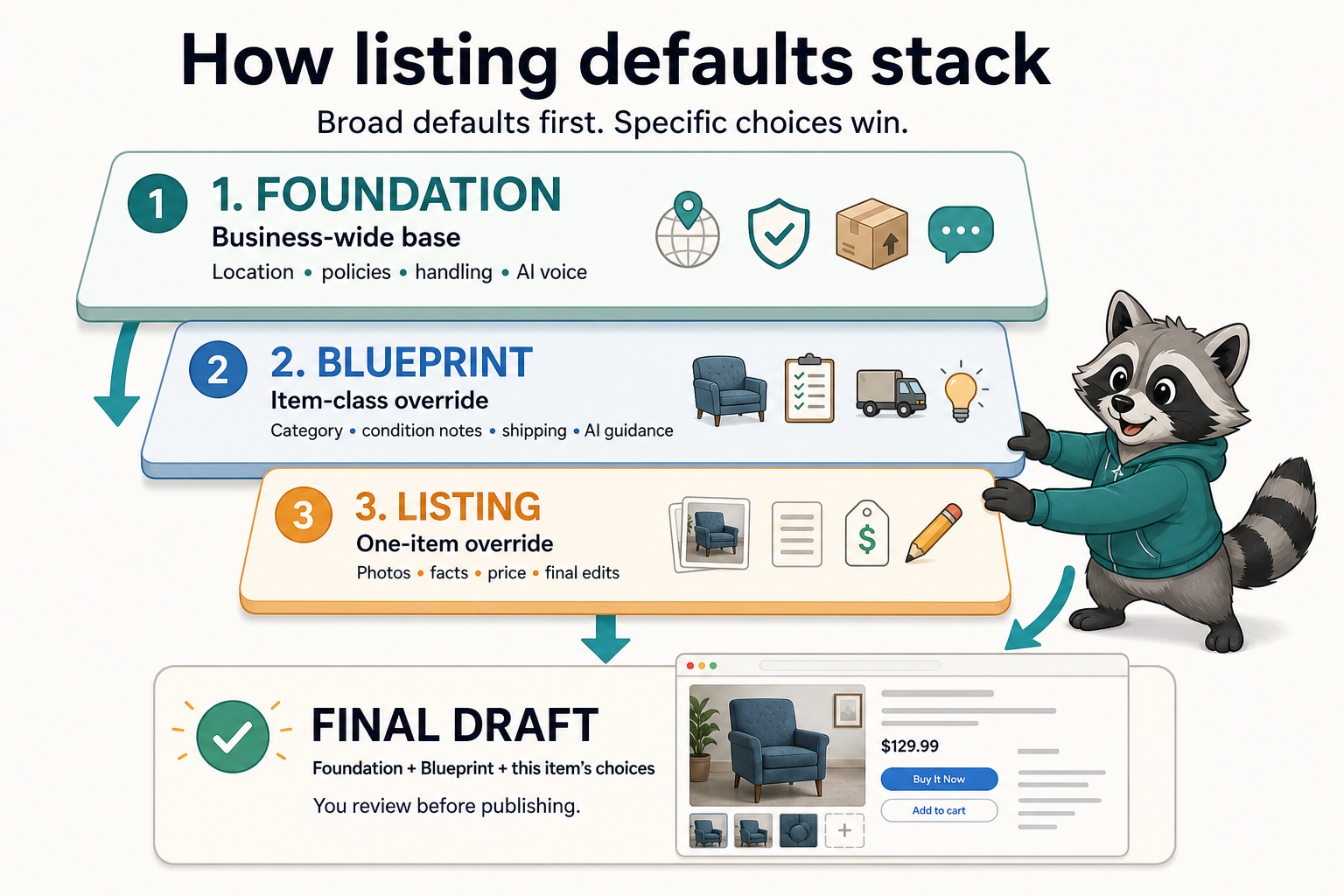
Blueprints and foundations
See how business defaults, item-class rules, and one-item choices stack into a finished draft.
Read guide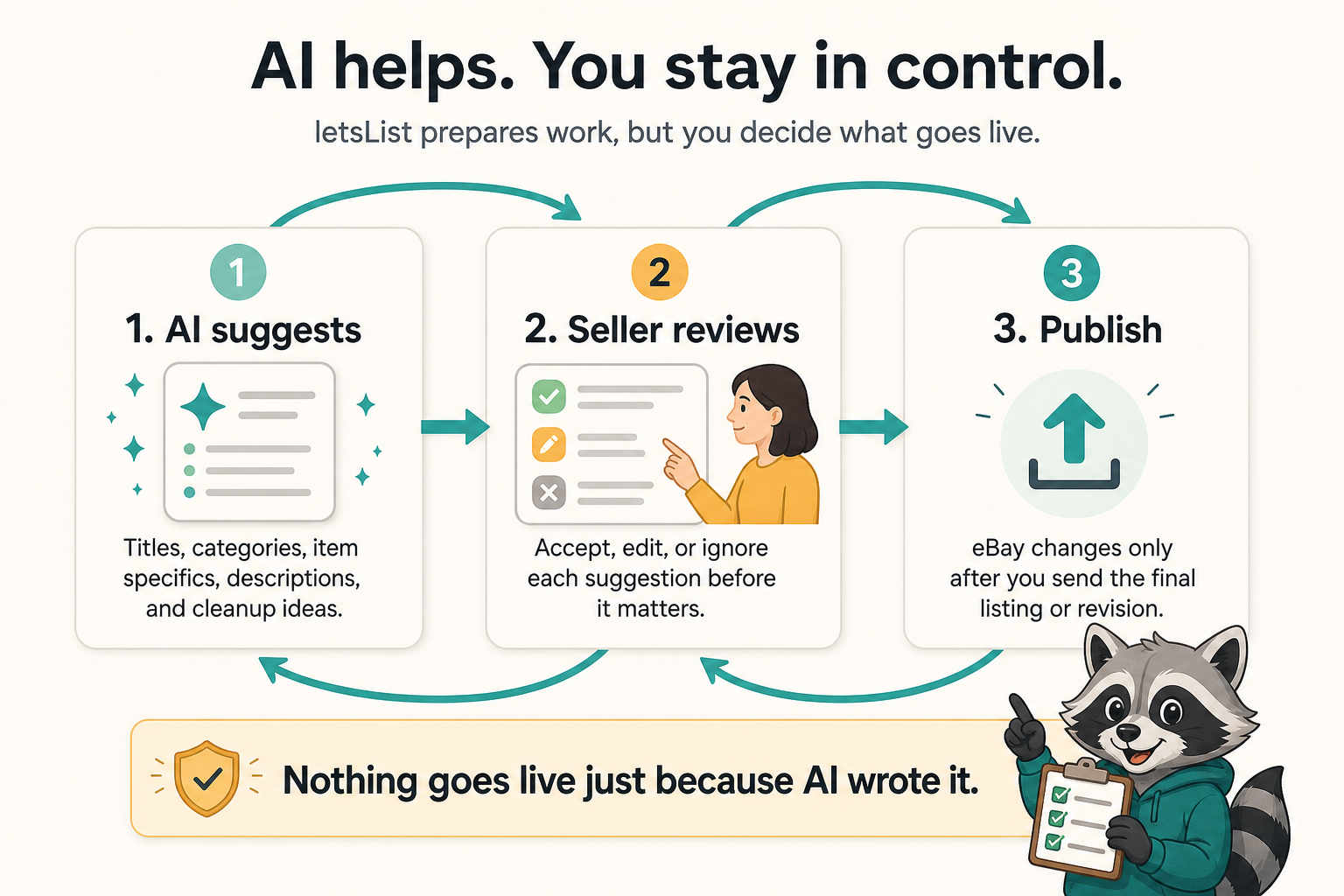
AI review and publishing
Know what AI prepares, what to verify, and what happens before a new listing or revision goes live.
Read guideWhat each section covers
Inventory workflow
Batch photos, parallel deals, and import paths.
Repeatable listing work
Set reusable defaults, guide AI, review changes, and publish deliberately.